Recommended Approval Decision
Approve a clean, conversion-led global system: short proof strip, simple nav,
Find a Dealer as the only primary header CTA, opaque mobile menu, search removed from the launch header, and footer parent-company branding treated as a legal decision rather than a consumer-branding decision.
Needs Eli approvalGlobal choices
- Rename the header CTA from
Contact UstoFind a Dealer, keeping the destination/find-a-dealer/. - Approve the final nav direction:
Why Integra,Products,Resources,For Dealers, primary CTAFind a Dealer. - Approve removing search from the launch header, or moving it to a quieter Resources/footer utility.
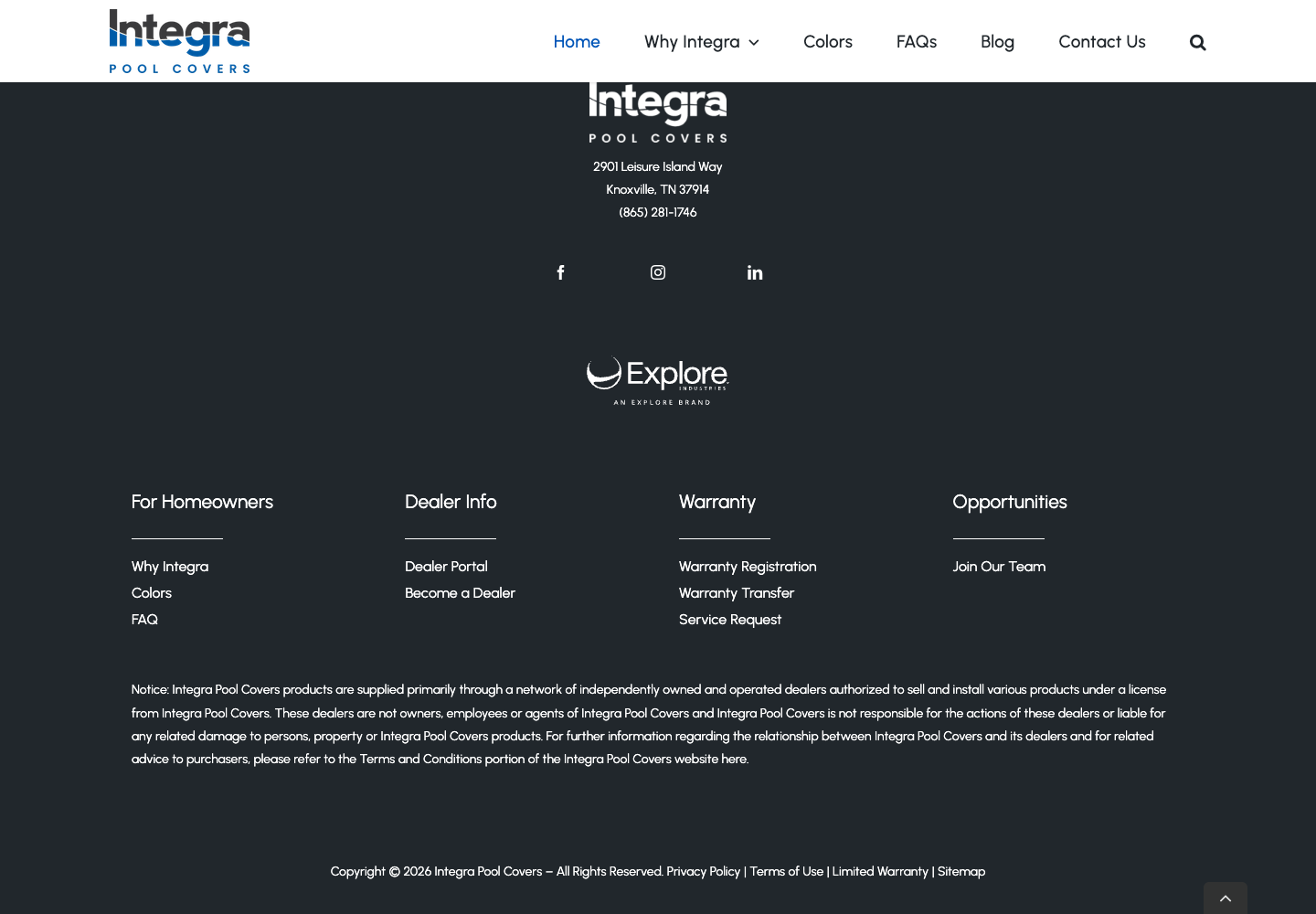
- Decide whether the visible Explore Industries footer mark is legally required. If not required, remove the visual mark from consumer footer branding.
Needs web/dev/adminImplementation work
- Make the mobile menu panel opaque or near-opaque; current hero text and buttons bleed through the open menu.
- Style
Find a Dealeras a real primary header button on desktop and mobile. - Confirm or create destination pages for
/products/,/resources/, and/for-dealers/before adding those labels globally. - Remove or relocate the header search control after Eli approves the search decision.
Safe later implementationPolish after approval
- Standardize CTA states: default, hover/focus, sticky-condensed, and mobile stacked states.
- Add a compact proof strip above or within the header: ASTM F1346 certified, stainless steel mechanism, 20-year mechanism warranty.
- Rework footer grouping after the legal decision: homeowner links, dealer links, warranty/service links, privacy/terms/warranty legal links.
- Use footer or Resources search only if the search results experience is launch-ready.
Proposed Final Navigation
| Position | Label | Destination | Approval note |
|---|---|---|---|
| 1 | Why Integra | /why-integra/ | Current staging route returned 200. |
| 2 | Products | /products/ | Current staging route returned 404. Add only after destination is created or mapped. |
| 3 | Resources | /resources/ | Current staging route returned 404. Could contain FAQ, ASTM explainer, warranty/service resources. |
| 4 | For Dealers | /for-dealers/ | Current staging route returned 404. If not ready, keep dealer path in footer until the page exists. |
| Primary CTA | Find a Dealer | /find-a-dealer/ | Current CTA destination is already correct, but the label is wrong. |
Mobile Menu Actions
| Priority | Action | Behavior |
|---|---|---|
| Primary | Find a Dealer | Full-width filled blue button near the top and bottom of the open menu. |
| Secondary | Become a Dealer | Outline button below Find a Dealer; do not compete visually with homeowner CTA. |
| Utility | Search | Remove from header for launch, or place as a small Resources/footer utility after results are approved. |
| Menu surface | Opaque panel | White or near-white panel with navy text and 44px minimum tap targets. |
Current Staging Evidence
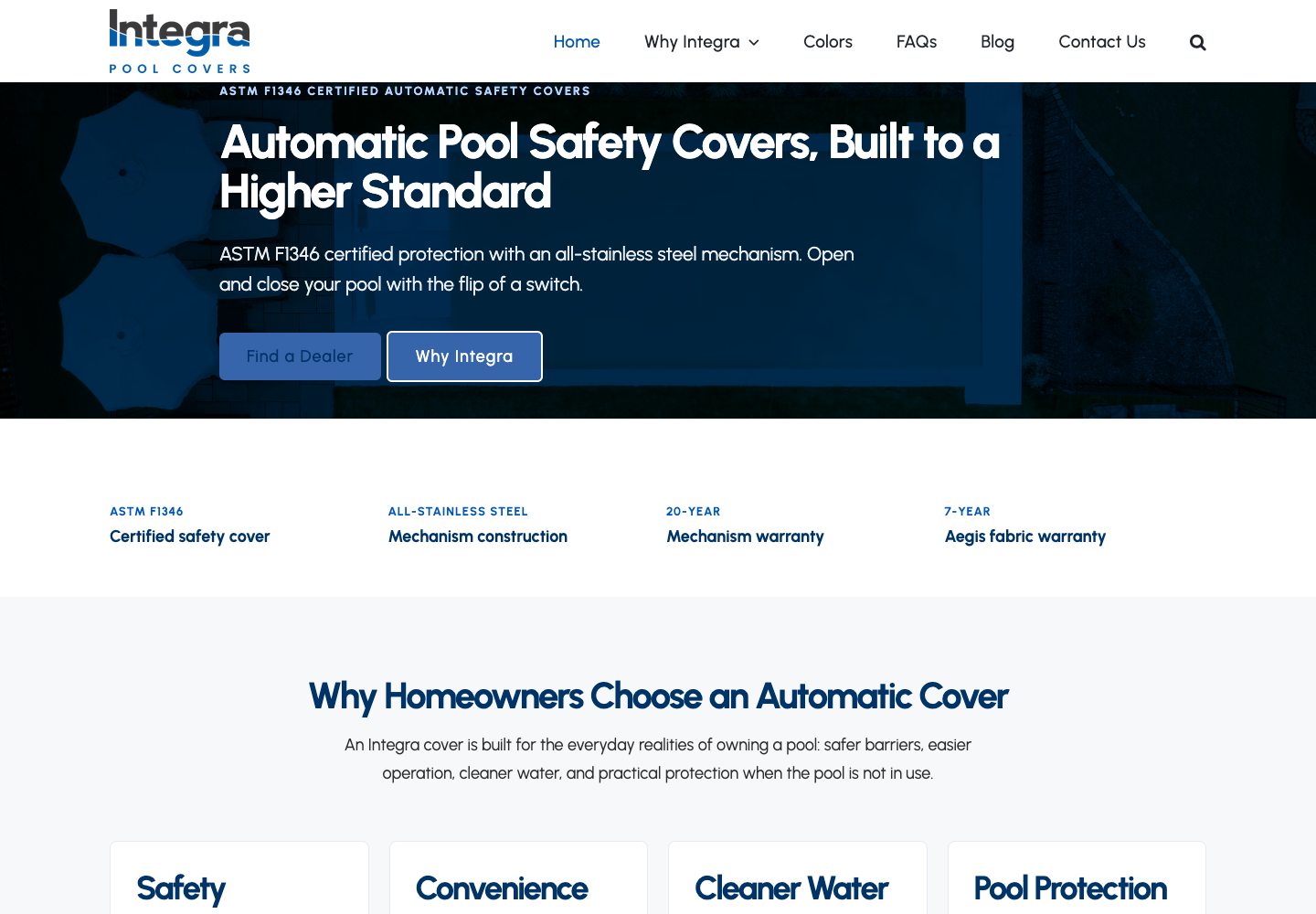
/find-a-dealer/.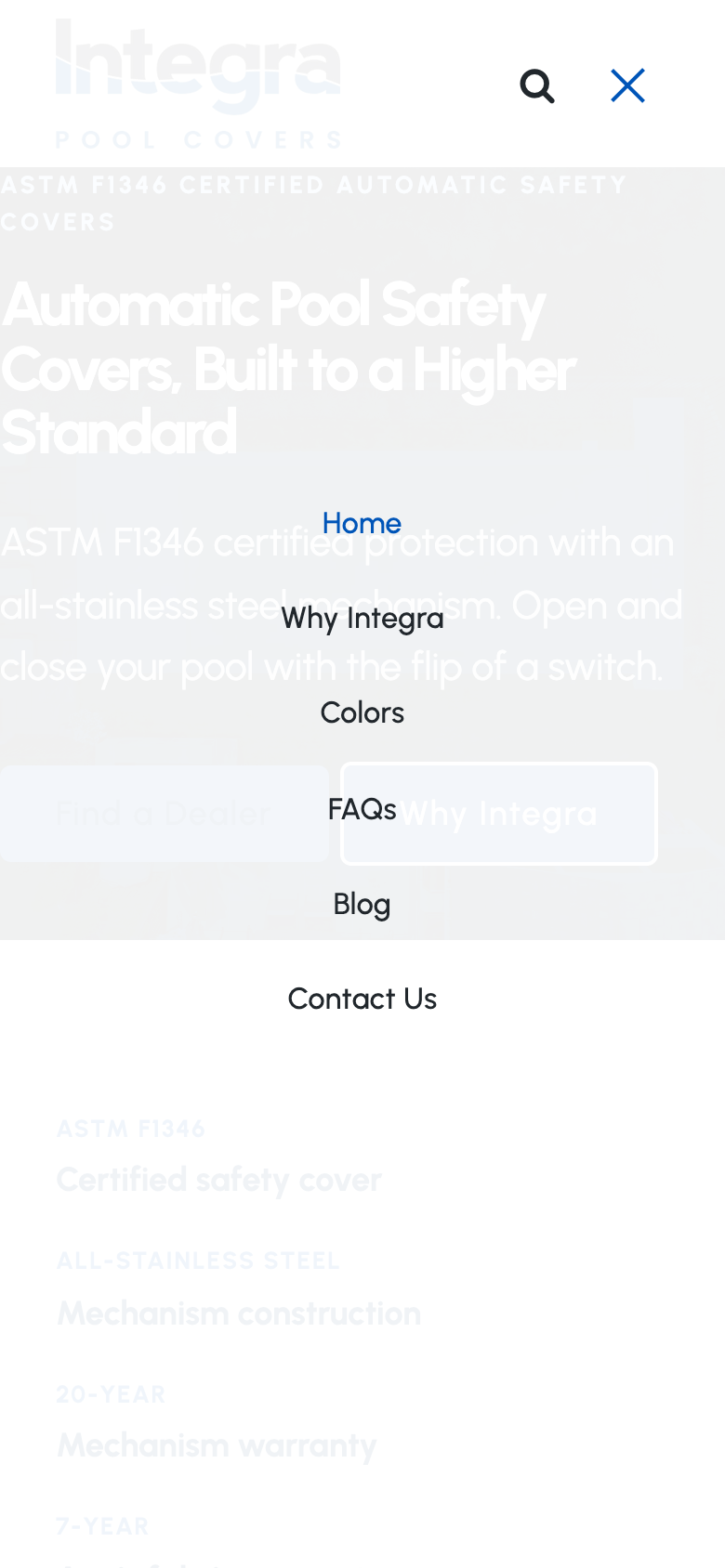
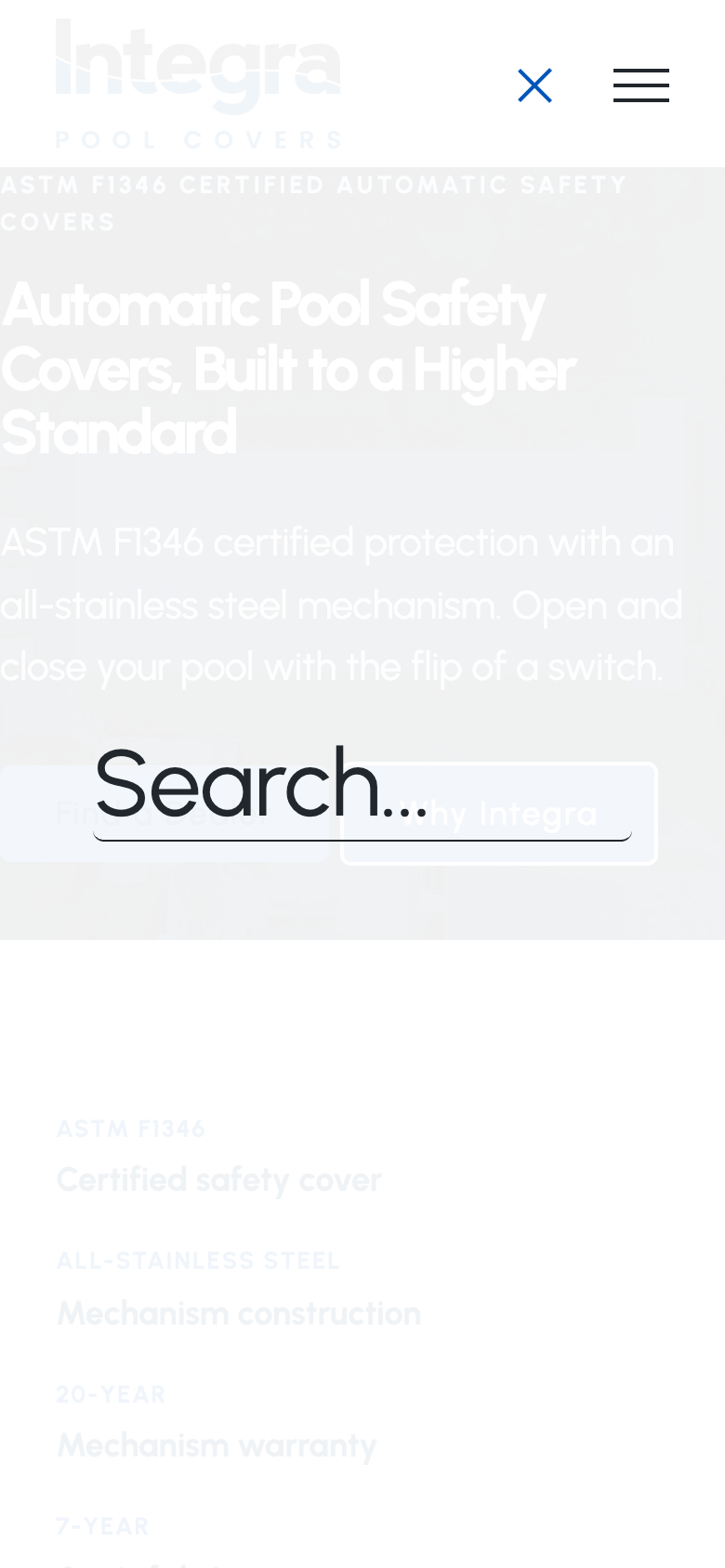
Claude Design Direction
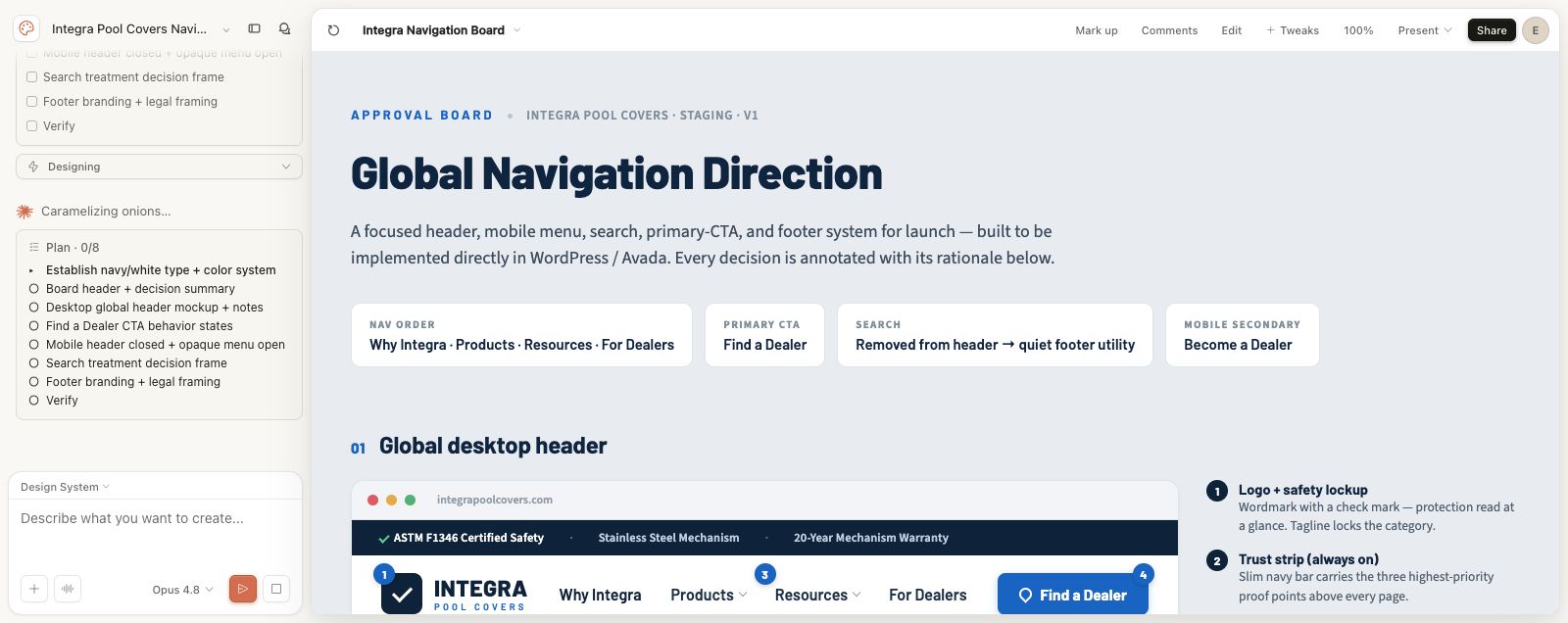
Claude Design URL: https://claude.ai/design/p/d58744cb-8ef8-48ff-a077-5b7e09c61c60?file=Integra+Navigation+Board.dc.html
Local Claude screenshot: [internal evidence path] Pools Website/page-updates/claude-global-nav-design/20260623T-global-nav-claude-design-after-choices.png
Note: the final Claude Design file view later rendered blank in Chrome, but the generated board decision text and the earlier board screenshot were captured before that canvas issue.
Footer Brand/Legal Framing
Do not change legal content in this pass. The launch decision is whether the footer should visually brand Integra as an Explore Industries brand.
- If legal requires parent-company disclosure, keep it in legal text, privacy/terms language, or a small legal attribution area.
- If legal does not require the visual Explore mark, remove the Explore logo/brand lockup from the consumer-facing footer.
- Keep the consumer footer centered on Integra Pool Covers: safety, dealer-installed cover products, warranty/service links, and Find a Dealer.
Evidence Paths
| Item | Path |
|---|---|
| Fresh evidence folder | [internal evidence path] Pools Website/audits/20260623T-global-nav-footer-approval-evidence/ |
| Fresh evidence JSON | [internal evidence path] Pools Website/audits/20260623T-global-nav-footer-approval-evidence/global-nav-footer-evidence.json |
| Mobile menu targeted proof | [internal evidence path] Pools Website/audits/20260623T-global-nav-footer-approval-evidence/home-mobile-menu-open-targeted.png |
| Mobile search proof | [internal evidence path] Pools Website/audits/20260623T-global-nav-footer-approval-evidence/home-mobile-menu-open.png |
| Desktop footer proof | [internal evidence path] Pools Website/audits/20260623T-global-nav-footer-approval-evidence/home-desktop-footer.png |
| Claude Design evidence folder | [internal evidence path] Pools Website/page-updates/claude-global-nav-design/ |